 LandOffer
Job search
One-Column vs. Two-Column Resumes: A Practical Parsing and Readability Test
Same facts can be legible on paper and differently ordered in extraction; inspect actual output.

A one-column resume is a practical default when you want a simple reading path, but inspect the exported file rather than assuming either layout always works. We created two one-page PDFs containing the same fictional facts and read them with two local extraction libraries. One library interleaved the two-column text; another retained the section order. That difference demonstrates a file-reading risk, not a universal ATS verdict.
Use a real description from LandOffer's recent roles to choose relevant content before arranging it. LandOffer publishes this guide. The local experiment ran October 8, 2026. Nadia Bell and every resume fact are fictional test inputs. No employer application or third-party ATS received either PDF.
Separate appearance, reading order and field mapping
A resume can look coherent to a person while a text extractor orders the words differently. Two columns create more than one plausible path: read down the left column then the right, or read across each horizontal line. Software needs some way to choose. The visual layout alone does not establish which choice a particular system makes.
Reading order concerns the sequence of extracted text. Field mapping is a further task: identify a school, employer, title or date and connect it to the right record. Our experiment measures text output and manually inspects associations; it does not run an employer's structured field-mapping model.
Greenhouse's official parsing guidance lists columned layouts among patterns that can cause partial or failed parsing. That is a reason to inspect columns carefully. It does not establish that every two-column document fails or that every one-column document imports correctly.
Human readability is also separate. A sidebar can visually separate skills from experience, while a single column gives a straightforward vertical sequence. Neither benefit overrides tiny type, crowded paragraphs or unclear dates. Choose a layout that lets someone follow the evidence and that you can verify in its actual export.
What we held constant
The test used a compact fictional resume fixture, not a candidate's private document. Both PDFs contain Nadia's identity, education, technical skills, experience and personal project. The facts are generated from one JSON input. No skills, dates or contributions were added to make one version stronger.
Nadia's fictional experience includes a Rust sensor viewer, TypeScript keyboard navigation and a dropped-connection investigation. Her personal project, Benchscope, archives synthetic sensor readings in SQLite and includes 12 illustrative unit tests. Those facts were chosen to create identifiable sections and dates. They are not reported work, real test outcomes or a testimonial.
Both files use the same US Letter page size, Helvetica fonts, font sizes and color. The one-column version places sections vertically. The two-column version places education and skills on the left, experience and projects on the right, with a clear gutter. Wrapping changes because column widths change; the underlying words remain the same.
We kept both versions to one page and rendered each to a PNG for visual inspection. Both pages were readable, without overlapping text or clipped sections. This is an observed property of these fixtures at the inspected size, not a human-reader study or evidence of preference across recruiters.
Tools and repeatable inputs
We generated the PDFs with ReportLab 4.4.9 and extracted text with pdfplumber 0.11.9 and pypdf 6.10.0. The pdfplumber call used extract_text(layout=False) with default tolerances. The pypdf call used its default extract_text() on each page. These settings matter because another mode or library version can produce a different sequence.
The pdfplumber documentation explains that its default text extraction combines characters using positional tolerances; its experimental layout-preserving mode is a different option. We did not enable that alternative mode. We also saved word coordinates so the relationship between text and page position remains inspectable.
The local package retains facts.json, the generation script, both PDFs, both rendered PNGs, each library's text output, word-coordinate JSON and a results file with versions and file hashes. This allows the comparison to be rerun against the exact inputs. The files are authoring evidence attached to this local preview package; publication should provide the appropriate download routes if the article is later released.
No OCR was required: the PDFs contain text. We did not compare scanned resumes, tagged accessible PDFs, DOCX files, vendor APIs or employer configurations. Keeping that boundary explicit prevents the local observation from becoming a claim about an entirely different document or system.
The same words came out in different arrangements
Both pdfplumber outputs contain 164 whitespace-separated words. More importantly, the normalized alphanumeric token multisets match: each word token appears the same number of times in both versions. The pypdf token multisets also match. That check distinguishes reordering from missing content in this experiment, so the repair can address reading order instead of adding words that are already present.
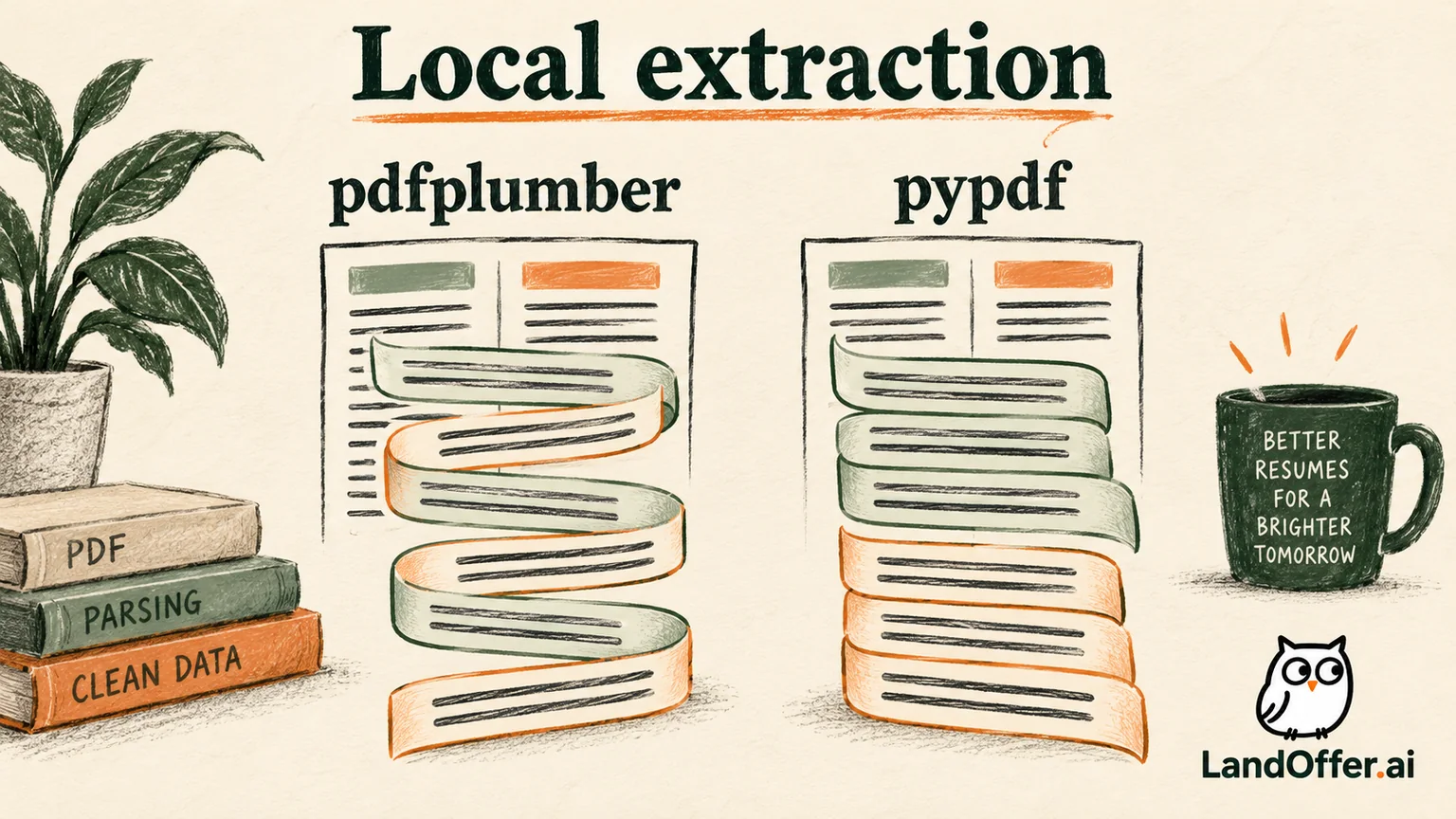
The one-column pdfplumber output keeps the education block together, then skills, experience and projects. The two-column output reads across several aligned lines. Here are actual excerpts from the saved output:
One-column output:
EDUCATION
Cedar State University
B.S. Computer Science | May 2024
TECHNICAL SKILLS
Two-column output:
EDUCATION EXPERIENCE
Cedar State University Software Engineer | Alder Metrics Inc.
B.S. Computer Science | May 2024 June 2024 - September 2026
TECHNICAL SKILLS TypeScript interface.
The degree line and employment date now share a line. The skills heading shares a line with text from an experience contribution. All the words remain available. Their new sequence makes the school, employer and dates harder to associate in this output.
Compare the second extractor before judging the layout
pypdf's default output retained the generated section sequence in both files: identity, education, skills, experience and projects. The generation script writes each block in that sequence even when the blocks occupy different columns. This output differs from pdfplumber's position-based arrangement for the same two-column PDF. The pypdf result is observed in version 6.10.0; current documentation is additional context, not the executed version.
Keep the disagreement in the result you report. It would be misleading to report only the interleaved output and declare two columns universally unreadable. It would be equally misleading to report only the retained order and declare the file universally safe. The tested file exposes different outcomes under the two named local tools.
| Check | One-column fixture | Two-column fixture | Bounded conclusion |
|---|---|---|---|
| Rendered page count | One | One | Same page count; no layout overflow observed |
| Normalized text tokens | Same facts retained | Same facts retained | No token loss in these extraction outputs |
| pdfplumber default order | Sections remain grouped | Several aligned lines interleave | Two-column geometry changes this tool's output |
| pypdf default order | Section sequence retained | Section sequence retained | This extractor follows a different ordering result |
| Employer field mapping | Not tested | Not tested | No ATS compatibility or hiring conclusion |
These results support a practical decision for this fixture: retain the one-column version as the simpler default for a general application attachment. The two-column version can still serve a visual purpose, but its interleaved output adds an observed issue to investigate before using it where extraction matters.
Complete an association audit
We manually compared three named fact relationships in the extracted text: Nadia's name with contact information, the university with the degree date, and Alder Metrics with the employment period. The one-column pdfplumber output keeps each relationship in a contiguous section. In the two-column output, the education and experience records share lines.
The relevant question is not only “Can I find May 2024?” It is “Can I identify it as the degree date without confusing it with June 2024?” Both dates remain present in the interleaved text. Their proximity changes the amount of context needed to distinguish them.
This manual audit identifies an ambiguity; it does not claim a particular mapping algorithm made the wrong assignment. A sophisticated parser might resolve it, and a different export might preserve a clearer order. We save the issue as an observed text-output problem with a named tool, rather than manufacturing a failed ATS profile.
The completed response is to choose the simpler fixture for the intended general attachment and keep the dual-column version plus its outputs for comparison. We do not change Nadia's facts, insert hidden keywords or delete a section to make the result appear successful. The repair changes the reading path, which is the actual issue the experiment exposed.
The result also changes how we define a successful check. Finding every expected word is necessary here, but it is insufficient for a clean reading sequence. Finding a school and two dates does not prove they belong together. Our final review therefore keeps three separate findings: words retained, section order inspected and association ambiguity identified. It leaves structured field assignment untested. A later test could add that task, but it would need a named engine and saved field outputs rather than an inference from the plain text. This separation makes the current result useful without pretending the experiment answered every parsing question.
Run a practical check on your own document
Start with the final export you would attach. Inspect every page, then select and copy its text into a plain-text editor. Read the result from top to bottom. Check headings, contact details, school and employer names, titles and dates. If a local tool is available, save its exact output and settings for a more repeatable comparison.
When comparing layouts, hold the content constant. Changing columns while also rewriting bullets, replacing the font and moving dates makes it difficult to isolate what caused a difference. You can still improve those elements afterward; first establish what the layout change does to the same facts.
If words disappear, address that defect before interpreting order. If words survive but interleave, simplify the layout or inspect a different export from the source. Reopen the repaired file and run the same check. Reopening a renamed file can look like a fresh start, but the saved text output is what tells you whether the reading problem changed.
If an actual application imports fields, inspect those fields separately before submitting. Correct visible mistakes through the form's controls and keep the attachment accurate. The local extraction check is preparation; the application's observed interpretation remains another source of evidence.
This fixture also has limits as a document-generation experiment. The source script determines the PDF content-stream order, and both files come from that same generator. A Word, design-tool or browser export can encode the same visual arrangement differently. Our output therefore cannot establish what every visually similar template will do. Repeating the check on your exact export is more useful than copying the fixture's result onto a different file.
The page images were rendered with the bundled Poppler pdftoppm command and inspected after the final name change. They provide visual evidence alongside the text outputs. We did not assess accessible PDF tags, screen-reader navigation or reading preferences with a participant group. Those are worthwhile questions when they matter to your document, but they are separate from the local extraction and manual association checks completed here.
Make a bounded layout decision
For Nadia's exact generated PDFs, both visual layouts were legible and both extraction tools retained the facts. The one-column version avoided the interleaving observed in pdfplumber. That is enough to choose it as the default in this worked case without asserting a global rule about ATS systems or employers.
For your resume, follow the employer's attachment requirements and protect content clarity. A simple layout is useful when it reduces the number of reading paths you need to verify. A two-column design earns its place when its visual benefit matters and its actual exported behavior has been checked in the relevant workflow.
Choose one target description from LandOffer's recent roles, finalize truthful content, then inspect one exported attachment. If you compare a second layout, keep the facts identical and record the observed difference. Keep the conclusion local: this check does not upload your resume, create an application or establish compatibility with an employer system.
Sources and Further Reading
- Greenhouse: Unsuccessful resume parse: official column and formatting risks in its described employer workflow.
- pdfplumber official repository: extraction options, positional tolerances and experimental layout mode.
- pypdf text-extraction documentation: text extraction behavior and limitations.
- Harvard MCS: Strong resume guidance: readable organization and conversion review.