 LandOffer
Job search
How to Check Whether a Job Posting Is Still Active
Check employer source and current application path; call the route accessible, closed or unresolved while leaving hiring intent unknown.

Check whether the employer still lists the specific role, then follow its current Apply link to the intended application destination. An accessible form supports a narrow conclusion: this route appears available now. It does not prove that a hiring team is actively reviewing candidates or that the role will remain open tomorrow.
LandOffer publishes this guide and offers job-search tools. We checked official public guidance and one public employer-to-form route on October 8, 2026, without logging in, filling fields or submitting an application. Noor's cases are fictional. Keep your existing tracker and record the check there. To find other opportunities, browse jobs posted within the last 24 hours, then apply the same source and route check.
Separate three questions
“Active” can mean three different things. A page is visible. A route appears to accept applications. A hiring team is currently recruiting with a particular level of urgency. Public checks can often answer the first two, but usually cannot settle the third.
An old job page may remain readable after hiring closes. A fresh search result may point to an unavailable form. A working form may remain open while internal hiring plans are uncertain. These are different observations; forcing them into one active/inactive label hides useful information.
Google's job-posting guidance explains ways publishers should handle expired jobs, including past expiration dates, removing markup or removing the page. It also recognizes that a page can remain live while a job has expired. That is why a readable page or successful response alone does not establish current acceptance.
The practical check is whether you can reach the employer's intended route for this role and whether it explicitly says it is closed. Record what you observed and when. You can decide how much application effort to invest without inventing private hiring information.
Start at the employer source
Open the employer's careers section independently when possible. Search for the exact title, requisition and relevant location. A board snippet can help you find a role, but its cached date and title are not authoritative instructions for applying.
If the employer lists the role, compare the description with the opportunity you saved. A similar title may belong to a different location or team. An employer link may lead to an external applicant system; that is normal when the employer chooses that system. Verify the chain from the employer source rather than judging legitimacy only by whether the form shares its domain.
If the exact role is missing from a search, do not immediately conclude that it is closed. Filters, regional pages and alternate titles can affect discoverability. Use the known employer role URL if you have one, then check its current instructions. A page that explicitly says the opportunity is unavailable is stronger evidence than a search that returns no match.
Keep the original source and the current observation separately. Noor can preserve a saved description while noting that today's employer page differs. Replacing the old description would erase the evidence needed to understand why she chose the role in the first place.
Follow the current application route
Use the Apply link on the current employer listing. If it asks you to select a location, choose the relevant one before comparing the destination. A role with several advertised locations can lead to different application posts, even when the underlying job is related.
At the destination, check employer, role title, selected location and any visible requisition. Note mismatches before choosing an attachment. Look for an application form or clear instructions to begin. You do not need to enter personal information or submit a test application to inspect an available public route. Stop before actions that would create an application or account merely to test availability.
An explicit “no longer accepting applications” message supports a closed-route result. A form with relevant fields and a submission control supports a publicly available route at that time, but does not establish that submission will succeed. Required login, an error or a blocked page leaves the check unresolved; it is not proof of closure or fraud.
If the destination differs materially from the employer listing, pause. A wrong location or title needs resolution before uploading a resume. Reopening the employer page and following its current link is preferable to guessing from a board's older redirect.
A public route observed today
As a limited real example, Mozilla's Senior Software Engineer employer page displayed Infrastructure, Remote US and Remote Canada, with requisition R3234 on October 8, 2026. Its Apply Now location links were distinct. Following Remote US led to a Greenhouse application page for the same title and R3234.
That destination exposed application fields, a Resume/CV attachment control and a Submit application button. We read the public page only. No information was entered, no file was attached and no submission was tested. The publicly visible fields were read through the selected employer link; successful acceptance and any account-side status remain unverified. The observation supports a visible employer-linked US application route at the time of the check. It does not verify ongoing acceptance, candidate eligibility or the hiring team's current intent.
This example also shows why a public post identifier should not be confused with the employer requisition. The employer page and selected destination used different numerical URL paths while both displayed R3234. Candidates should compare the visible role identity and selected location, rather than expecting every URL number to match.
Noor's completed three-result check
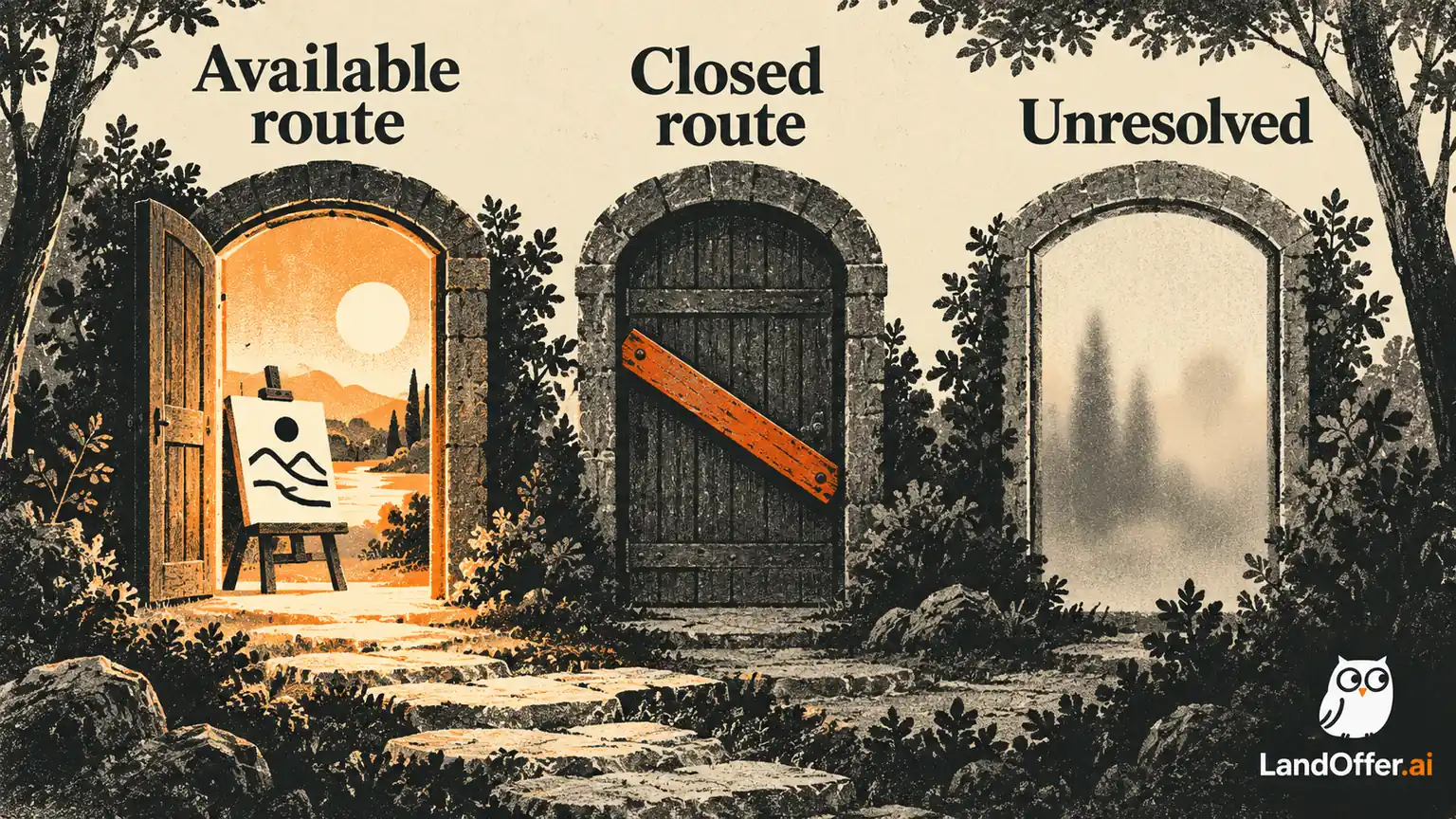
Noor is reviewing HarborKite's Support Engineer opportunity, HK-118. The following authored cases use the same role identity to show three possible route outcomes. They are alternatives, not simultaneous observations about a real employer.
| Check | Public observation | Recorded result | Next action |
|---|---|---|---|
| Employer role plus accessible form | HK-118 matches; destination displays the expected role and fields | Route appears available at this check time; hiring intent unknown | Review fit and prepare only if worthwhile |
| Employer route explicitly closed | Destination states it is no longer accepting applications | That route is closed at this check time | Preserve the record and look for other suitable roles |
| Employer route requires login or fails | No public form state can be established | Availability unresolved | Use the legitimate existing account route or seek clarification |
In the first case, Noor matches the title, location and HK-118 before reviewing her materials. Her record says “employer-linked form visible,” not “company urgently hiring.” She can proceed with a fit decision without claiming she knows how quickly anyone will read the application.
In the second case, she records the explicit destination message and the source URL. She does not upload a resume through another board merely to bypass the closed route. If the employer offers another current requisition, that is a separate opportunity requiring its own fit and identity check.
In the third case, Noor leaves the result unresolved. If she already has a legitimate employer account, she can check the role there. If not, she decides whether creating one is appropriate for an actual application, rather than creating it solely to obtain an “active” label. A blocked public read has not established the employer's hiring state.
A complete record of the decision
Noor's completed note for the accessible case reads: “HK-118 checked at employer source. Title and location match the saved opportunity. Current Apply link reaches the matching role with visible application fields. No submission attempted. Route appears available today; hiring intent unknown. Next action: compare the required support schedule with my availability before preparing materials.”
This note is a usable asset because it preserves the evidence, boundary and next action in one place. If Noor returns later, she can see that the form was inspected rather than tested. She also knows which fit question remained open. A bare checkmark would not convey either fact.
For the closed alternative, her note becomes: “Current HK-118 destination explicitly states applications are no longer accepted. Earlier saved description retained. No new submission. Move out of my active preparation view and review other roles.” That keeps the employer observation separate from any prior candidacy status.
For the unresolved alternative: “HK-118 route could not be established publicly because the destination requires login. No conclusion about closure. Check through the existing employer account if I decide to proceed; otherwise leave preparation paused.” She does not need to keep investigating indefinitely to maintain an honest record. Unresolved is a useful result when it names the obstacle and lets her move to another opportunity.
Use the same structure in a sheet, notes app or tracker: identity, time, source, route observation, uncertainty and next action. The record should make a later recheck smaller. Noor can reopen the known employer destination and resolve the schedule question instead of repeating the search from a cached result. It should not turn a public observation into a promise about availability or employer attention.
Treat dates and search results as leads
A posting date helps you prioritize, but age is not an acceptance test. Greenhouse's publishing controls can schedule visibility changes. Indeed's reopening instructions can update a posting date. Neither source supports a universal maximum age after which a role should be considered inactive.
Likewise, a cached search snippet can outlast the source it describes. Google instructs publishers to manage expired job information, but a candidate cannot assume every publisher or index has already caught up. Following the employer route resolves more than debating a snippet's displayed freshness.
If the employer publishes an explicit closing date, read it together with current instructions and relevant location or program rules. A passed date is material, but a conflicting live form remains something to clarify rather than a reason to invent a policy. A valid public route alone does not override an explicit employer eligibility or deadline requirement.
The point of these checks is to allocate effort. Noor can spend a short amount of time establishing the route before tailoring a long application. She does not need to infer whether every old listing is a ghost job. The visible facts are sufficient to choose a next action while leaving private motives unknown.
Recheck at the moment that matters
Availability can change between saving a job and finishing its application. Reopen the employer source and chosen destination before a major preparation step or final submission. If the route has closed, preserve the work for other relevant roles instead of treating the earlier check as a guarantee. Keep the source observation in the existing record so later checks do not overwrite what you knew when you began.
An application acknowledgment, if you later submit, establishes a different event from the pre-application route check. Record it separately. Neither an open form nor a tracker status should stand in for that event. A submitted application can coexist with a subsequently closed listing without telling you the outcome of your candidacy.
Noor's useful result is therefore precise: available route, explicitly closed route or unresolved route, with current evidence and a next action. Keep the tool that preserves those distinctions. When you need another opportunity to evaluate, browse jobs posted within the last 24 hours, then check the employer source and the actual Apply destination.