 LandOffer
Job search
ApplyFox Review: Job Preferences, Generated Cover Letters, and Autopilot Limits
A documentation-based ApplyFox review focused on profile controls, generated cover letters, Autopilot boundaries, privacy, and questions to answer before enabling submissions.
ApplyFox promotes a high-volume job-search workflow: upload a resume, describe your preferred job, location, and industry, then let its AI find openings, generate cover letters, and apply. The company also promotes continuous Autopilot. I reviewed its public pages and policies; I did not test an account. The pages do not show the full preference form, an example application queue, a per-letter approval screen, or a clear pause boundary. Before sharing a resume or allowing submissions, ask what you can inspect, edit, exclude, and stop.
Browse recent roles on LandOffer.ai to compare a tool’s targeting claims with real job requirements before you decide what you want automated.
 Illustrative artwork, not an ApplyFox interface or test result.
What ApplyFox says it does
The ApplyFox homepage describes four broad steps: upload a resume, set preferences for an ideal job, location, and industry, have its AI match and apply to listings, then receive interview requests. It promotes AI-generated cover letters and “Autopilot,” which it describes as continuous applications. Its Terms of Service likewise describe resume analysis, job search and automatic application, personalized cover letters, and optional continuous applications “without user input.”
That wording tells you the intended workflow, but not its practical boundaries. The public pages I reviewed do not specify every preference field, how strict a location or salary constraint is, whether you can exclude employers, whether the service shows a tailored letter before submission, or whether Autopilot can be paused while a job is already in a queue. They also do not document supported employer systems or how failed, duplicate, expired, or incomplete applications are handled. Treat each of those as a question to verify in the current product or in a written answer from support.
The site advertises more than 100 applications daily and uses phrases such as “undetectable.” The public pages provide no test data for those claims, and a slogan cannot show that an employer accepts an automated application. The Terms say ApplyFox does not guarantee interviews, job offers, or employment, and does not guarantee undetectability or acceptance by every employer. They also disclaim responsibility for stale or inaccurate third-party listings. A larger application count alone says nothing about role fit or submission completeness.
There is another important distinction: a service can identify a listing, prepare a form, submit it, and record a status as separate events. A saved or matched role is not necessarily an application; a queued application is not a submission receipt. Before relying on any tracker, find out what record it saves and how you can confirm the employer received the exact version you approved. Keep the employer’s confirmation email or candidate-portal status as an independent record.
Translate your preferences into testable boundaries
“Set your preferences” is too broad to evaluate on its own. Write down what a suitable role means to you before entering anything. Then check whether the service can represent each boundary precisely and whether you can see the roles that match before it applies.
| Preference to define | Example of a useful boundary | What to verify before relying on it |
|---|---|---|
| Role and seniority | Backend engineer, mid-level; exclude engineering manager | Can you include several exact titles, and does seniority come from your choice or the listing’s label? |
| Location and work mode | Remote within the United States; exclude roles tied to another country | Can you set country or state eligibility separately from “remote,” and inspect the employer’s duty station? |
| Compensation | Minimum base salary or a range, if the product supports it | Does the filter use stated base pay, estimated total compensation, or a broad inferred value? |
| Employer and industry | Exclude current employer, staffing firms, or sectors you will not join | Is there an exclusion list, and does it apply to subsidiaries and duplicate listings? |
| Work authorization | Only roles that accept your actual authorization and sponsorship needs | Can you review the exact answer sent to an employer, and is it based on a field you supplied? |
| Application volume | A small number you can personally review each week | Is there a candidate-controlled cap, or does the daily volume describe a vendor target? |
Use concrete examples to test each preference. “Remote” might mean a job that permits work from anywhere in the United States, or a job-board tag attached to a position with a required office location. “Senior” may match an employer’s title even when the work scope, required experience, or compensation misses your target. A broad industry choice can surface roles you would reject after reading the responsibilities.
Before upload, compare the profile information the product requests with the information you are comfortable sharing. ApplyFox’s Privacy Policy, dated September 10, 2024, says the service collects resume content and profile details such as name, email, phone number, date of birth, job preferences, and work-authorization status. It says those details are used to match openings, generate cover letters, and fill or submit applications. The policy also says application materials can be shared with employers or job boards and with service providers, including hosting, AI, and payment providers. It does not name each provider or give a specific deletion purge window after account closure. Since the policy is dated, check for a newer version before uploading sensitive information.
Before setup, save a copy of your original resume and remove personal details that are not needed for the search. Enter only accurate facts, set narrow role and location criteria, and inspect a sample match before enabling submissions. If the product cannot show what it inferred from your resume or which preferences it stored, ask support how to correct the profile and whether edits affect jobs already found or queued.
Check every generated cover letter against facts
ApplyFox says it generates letters tailored to each application. “Tailored” does not tell you whether a letter is visible before it is sent, whether you can edit it, or which resume and posting facts the system used. Its privacy policy says resume data and preferences may be used to generate cover letters. Its public pages do not provide a candidate-side sample tied to a live job or document a required approval step. Confirm the preview, edit, and approval path before enabling automatic submissions.
A short factual review can catch the most damaging errors. Match the letter to the actual employer and role, then look for claims that go beyond your evidence: a named hiring manager you have not verified, a product you have never used, an invented metric, a team size, a credential, a location commitment, or work authorization you did not provide. Also check for a generic paragraph that could be sent to any company, wrong pronouns or names, and a sentence that describes the job listing as though you already work there.
Here is a fictional example, not an ApplyFox-generated letter:
| Resume fact | Draft sentence | Review |
|---|---|---|
| “Built a Python service that reduced nightly reporting from 42 minutes to 18 minutes.” | “I led a company-wide AI modernization that cut costs by 60%.” | Reject. The draft invents leadership, AI work, a company-wide scope, and a cost result. None follows from the source fact. |
| “Maintained API integrations used by three internal teams.” | “I would bring experience maintaining APIs used by three teams to your integration platform.” | Potentially supportable if the target company actually has such a platform. Verify the employer detail and keep the claim about your work precise. |
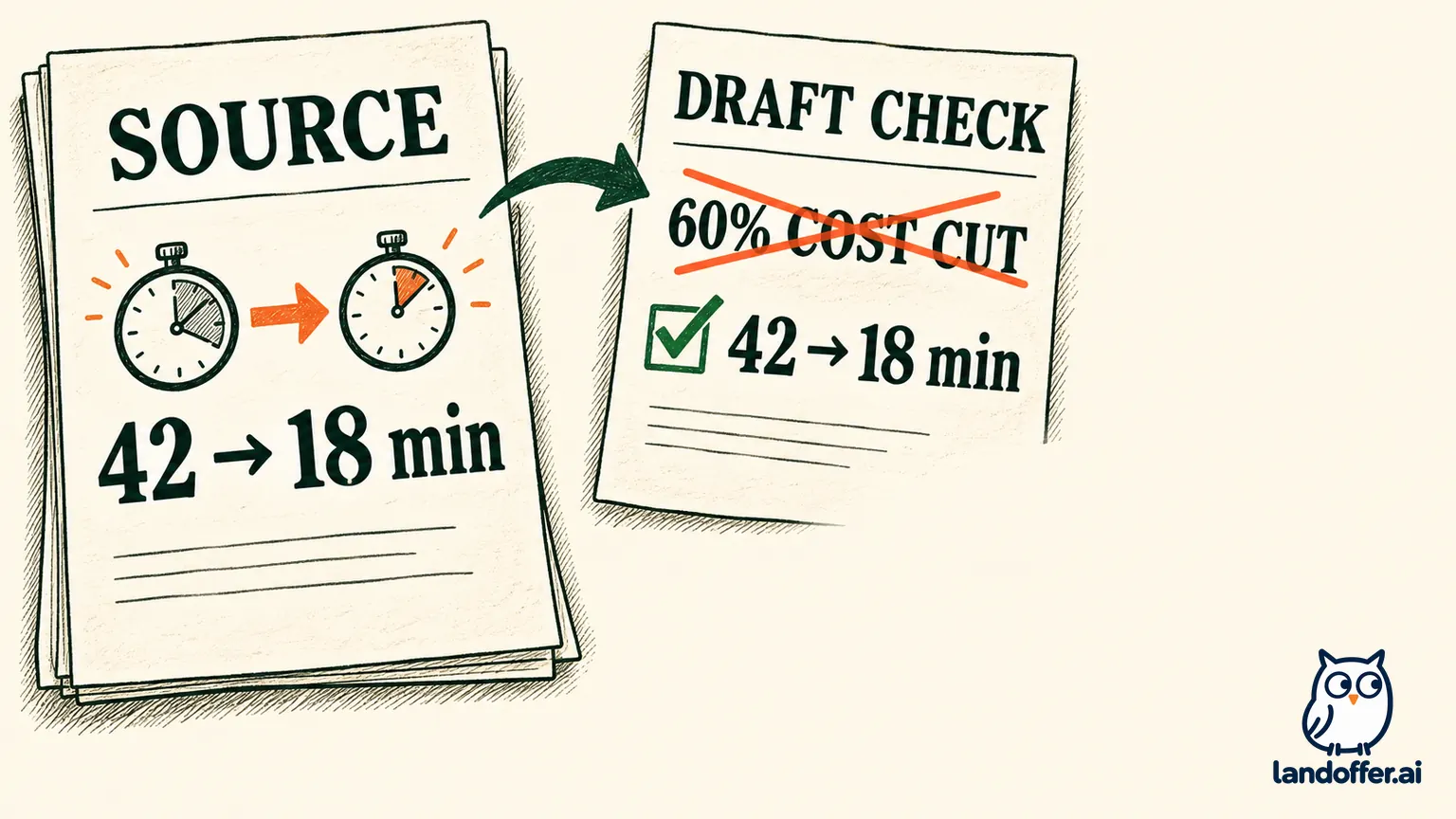 Fictional teaching example; this is not an ApplyFox-generated letter.
Review the exported or submitted text, not only a generated preview. Copy the final letter into a saved record or download it if the service allows. Keep the job URL, employer, role, application date, resume version, and any receipt together. If the service cannot show what was sent, you cannot reliably correct a mistaken claim after the fact. In that case, use a workflow where you control the employer form and final submission.
Set an Autopilot limit before you switch it on
Continuous automation repeats the same decision across many roles. ApplyFox describes Autopilot as an optional feature that keeps applying without user input. The public terms do not define a per-candidate maximum, review queue, exclusion controls, or what happens when you pause. The homepage’s “100+ jobs daily” language does not establish how many roles fit your profile or how many applications will be submitted.
Before turning it on, get clear answers to these questions:
- What exact event submits an application, and can I require approval for every role?
- Can I see the employer, live posting, answers, resume, and cover letter before submission?
- Can I block a specific employer, staffing agency, title, location, industry, duplicate, or role below a compensation floor?
- Can I set a total daily or weekly cap that I control? Does the advertised daily volume describe a maximum, target, or marketing example?
- What happens when a form asks a new question, requests a work-authorization answer, or presents a voluntary disclosure?
- How do I pause and cancel? Does pausing prevent new submissions only, or can it stop jobs already queued or being processed?
- What evidence shows that the employer received the application: an ATS confirmation, timestamp, receipt, or only an internal “applied” label?
- What data remains after cancellation or account deletion, and when is it removed from processors and backups?
If you get an answer, test it with the smallest possible scope and inspect each result. Start with roles you would genuinely apply to, a low cap, and manual review if that option exists. Check the actual employer posting first. Confirm every form answer and attachment. Keep a simple record of what was submitted and compare it with the employer confirmation. If there is no approval control or reliable way to stop and verify submissions, leave Autopilot off. Applying directly through the employer’s official page gives you control over the final answers and receipt.
Read the policy and checkout screens before paying
ApplyFox’s Terms say subscriptions renew automatically unless canceled before the renewal date. Its homepage offers “Start For Free,” but the pages inspected do not disclose a current price, plan-specific application allowance, trial duration, or refund rule. The CTA alone does not establish that access remains free. Before entering payment details, save the checkout screen and verify the amount charged today, currency, billing interval, renewal price and date, included features, and cancellation path. If a trial converts to a subscription, note the deadline and keep the cancellation confirmation if you choose not to continue.
The terms also assign responsibility to the user to provide accurate, current information, including resume details and preferences. That makes the review step part of the product decision, not optional proofreading. Check whether you can correct your profile, request deletion, and contact support before upload. The privacy policy lists [email protected] for access, correction, or deletion requests, but public policy language is not proof that a particular request has been completed; save the response and verify the account state afterward.
Is ApplyFox a fit for your search?
LandOffer publishes this review; its product assessment is based on the linked public documents, and readers should recheck the current terms before signup. ApplyFox’s public description may appeal if you want a service to find roles from profile preferences, prepare cover letters, and automate repeated application steps. Before deciding, confirm how you can edit preferences after upload, review each letter, limit submissions, and stop work already in progress. Those controls determine whether the workflow fits your search.
Consider it only after you can confirm the boundaries in your account or in current documentation. Verify what gets sent, which job sources and employer forms are supported, how a submission is recorded, how the system handles exceptions, and what cancellation and deletion mean in practice. Read the dated privacy and terms pages again at signup. The company disclaims hiring outcomes and universal acceptance, so treat response-rate or “undetectable” language as marketing rather than a reason to buy.
If a small, reviewed test is available, set a narrow target and inspect each role, answer, resume, and letter before any employer submission. If the service cannot show or stop what it is doing, keep the automation disabled and apply through the employer’s own portal. You can browse recent roles on LandOffer.ai and decide case by case which applications are worth your time.
Sources and Further Reading
- ApplyFox.ai homepage — vendor description of resume upload, job preferences, AI matching, generated letters, Autopilot, and advertised volume.
- ApplyFox.ai Terms of Service — service description, user responsibilities, automatic renewal, and limits on outcome and undetectability claims.
- ApplyFox Privacy Policy — stated profile data collection, application sharing, service providers, retention, and deletion requests.
- LandOffer.ai recent roles — browse job listings and assess each employer posting directly.